AI Training Center
Designing for Trust with Generative AI — an AI fine-tuning tool that gave admins control and transparency over the questions, answers, and sources their teams were using.
- Client
- Guru
- Role
- Product Designer
- Year
- 2023
Context
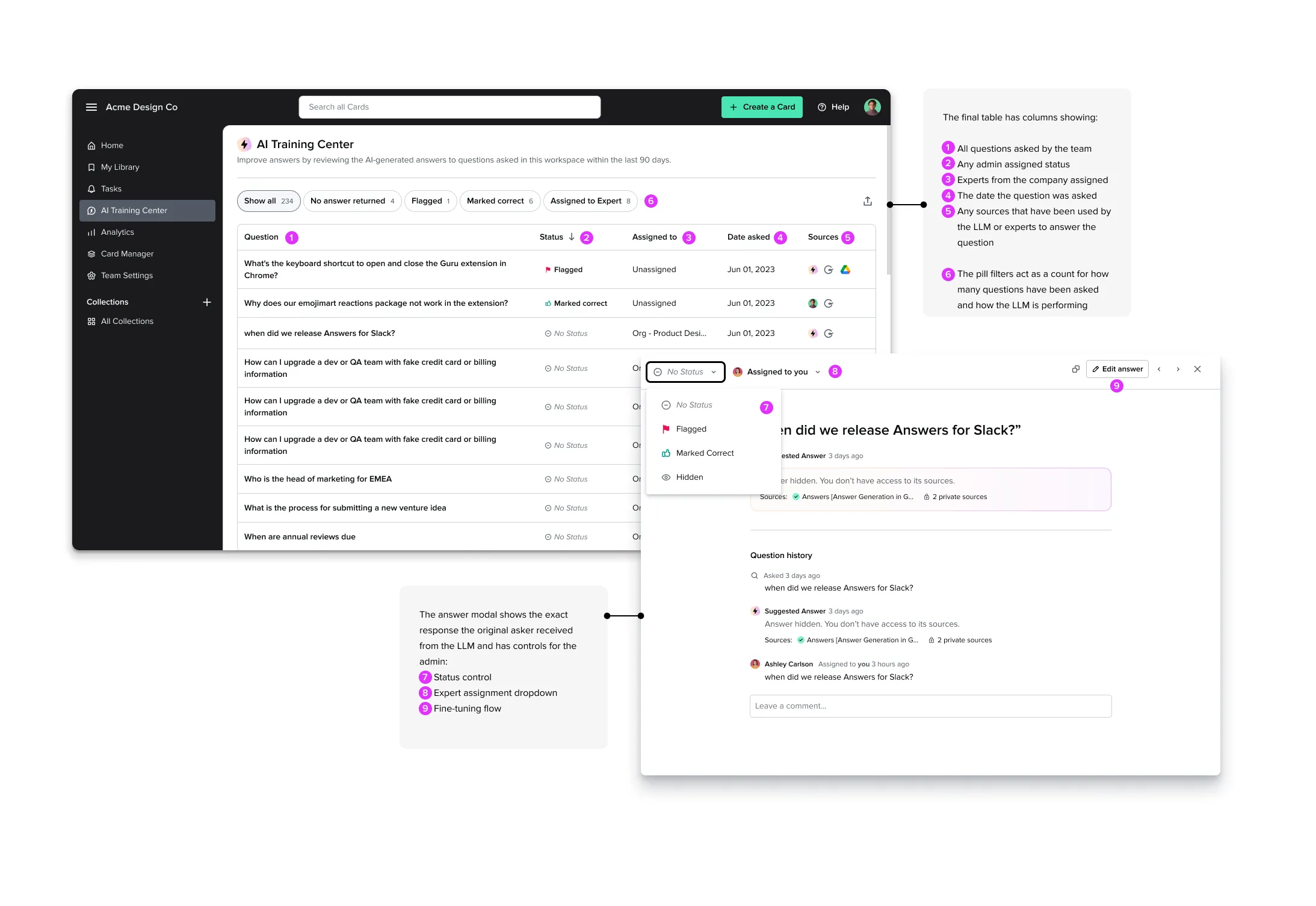
We had recently launched a generative AI search that admins could turn on for all employees at their company to help them find answers based on their company knowledge base. This project began as a simple analytics dashboard to report on usage of the feature, but thanks to key insights from users, we pivoted to create a powerful model-tuning AI training center.
Goal
In this project, our goal was to increase adoption of a new AI search feature by giving team leaders control and transparency into the questions, answers and sources used by the LLM to deliver information to their teams.
More than a dashboard
This simple prototype illustrates the main flow of the AI training center — scanning a list of what their team has asked and clicking into a question to fine tune or assign to an expert on their team.
Research — User Interviews
We ran a series of live customer interview calls to understand adoption of AI search with users across our customer base. When we synthesized the findings we had identified an important insight that led us to recommend a pivot. Armed with insight, the design team pitched a new concept to senior management — an AI fine-tuning tool for admins.
My role: recruiting, defining goals and interview script, running interviews, findings analysis, and presentation of findings to stakeholders.
Making the business case
Showing how the new feature strengthened other differentiated product areas was key to getting stakeholder buy-in needed to get this project off the ground.
Collaboration with the Machine Learning team
By hooking into existing product functionality, we were able to quickly build a fine-tuning system that would make the feature better the more people used it. Collaboration with the ML team helped enhance the feature’s differentiation.
Design Iterations
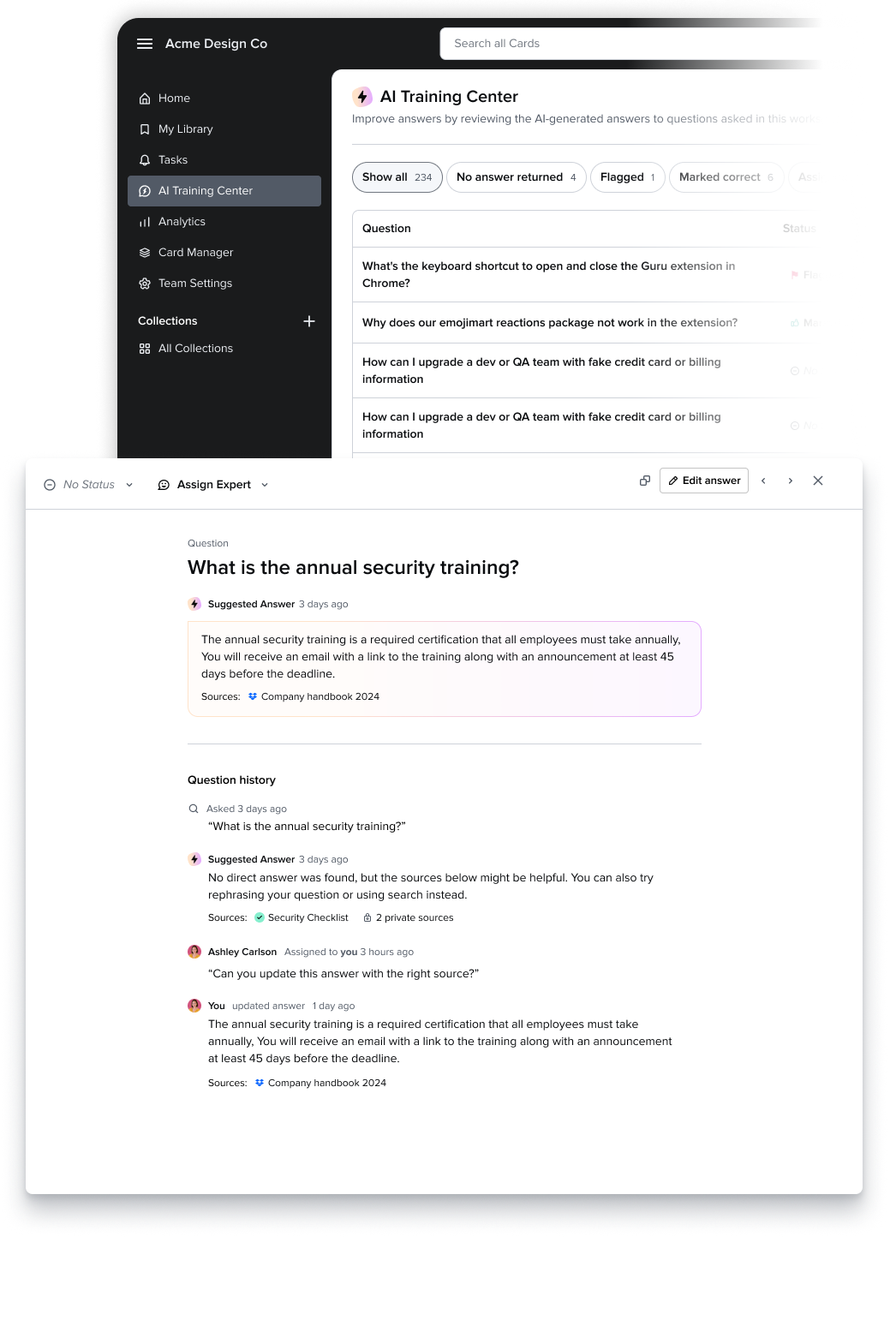
Once we nailed down the core user flows, I iterated on the design of the review screen and the question modal. Below you can see lots of examples of designs that didn’t make the cut.
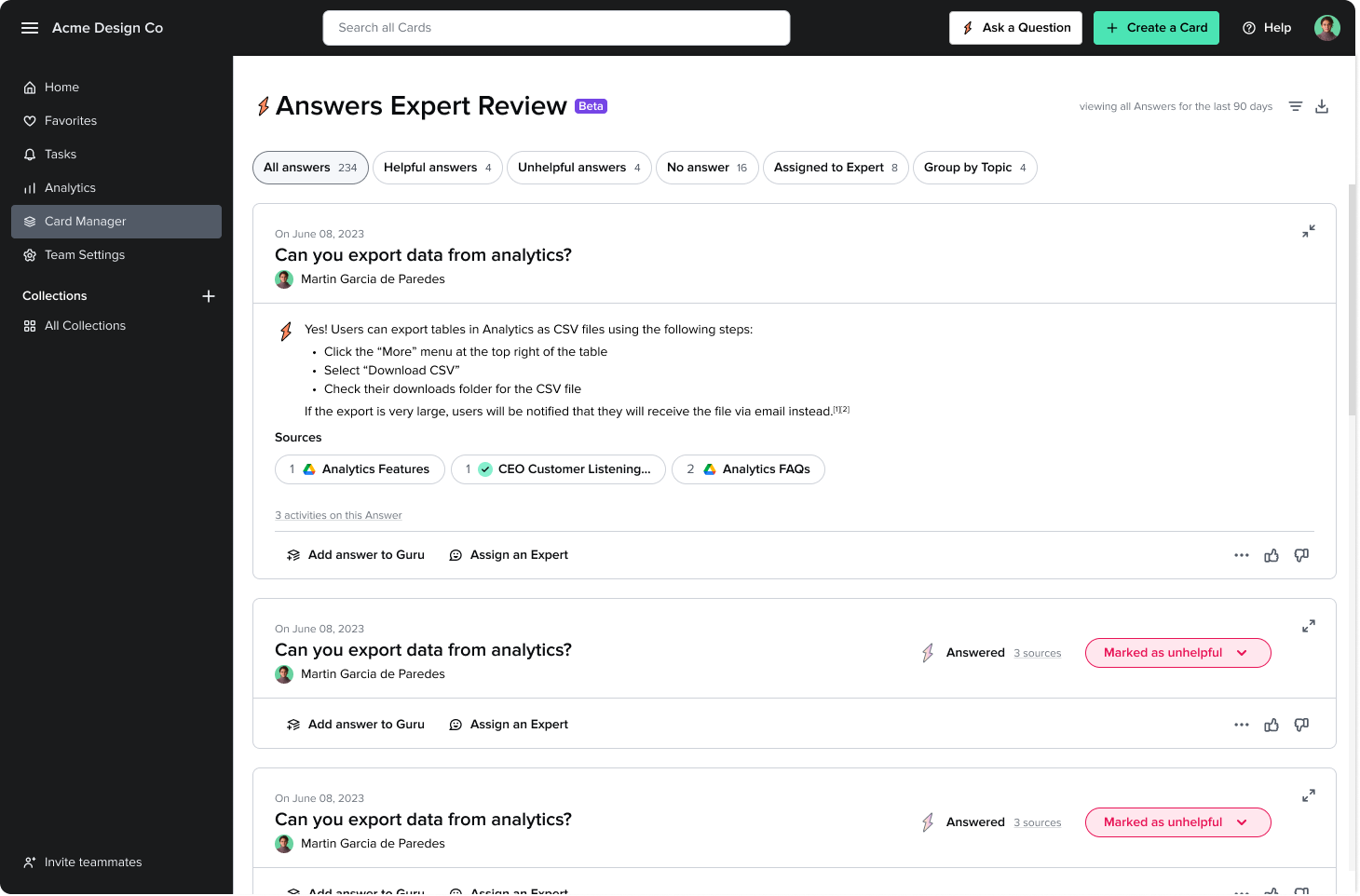
Once launched, the AI Training Center was very well received by existing customers as well as prospects. Not only did we see increased adoption of the Answers feature, but the AI Training Center became one of our core differentiated AI offerings.
Learnings
In this phased project, we were able to quickly build using existing components and patterns and then later push the visual design. Working closely with other designers on the team in these iterations allowed me to “kill my darlings” — aspects of the design that I thought were must-haves that could be removed to improve the visual design.
Next steps
During the exploration phase, I ideated on some interesting analytics features that would not only help build trust, but also help admins identify and fill gaps in their company knowledge base using the questions their teams are asking.